Your internet went down not because the satellite lost the sky, but because the breaker for your router tripped at 2 a.m. and nobody was awake to notice. This is the quiet failure mode of off-grid connectivity that is easy to overlook: the comms stack is only as reliable as the power feeding it, and it is often wired as an afterthought once everything else on the property is already sorted.
Plenty has been written about which satellite service to buy, which booster antenna to mount, and how to layer radios and VoIP into a communications plan. Less has been said about the unglamorous problem underneath all of it: keeping the electrons flowing to that gear when your main system is struggling, when it's cloudy for the fifth day running, or when a breaker pops while you're away. This post is about that layer.
Why comms gear fails differently than everything else
A refrigerator or a water pump has some tolerance for a few hours without power. Food stays cold for a while, the pressure tank holds a little reserve. Comms gear doesn't have that grace period. A router that loses power doesn't just pause, it drops your connection entirely, and depending on the device, it may take several minutes to fully re-establish a satellite link or cell connection once power returns.
That matters more than it sounds like. If you are staying reachable off-grid when there's no cell signal at all, the whole point of that setup is that it works when you need it, not just when the sun has been out and the batteries are topped off. A comms system that quietly goes dark during the exact conditions that also knock out your main power (a multi-day storm, a heavy snow load shading your panels) is a system that fails you precisely when failing is most costly.
This is also different from a generator problem. You can run a generator to catch up your battery bank once a week and call it good enough for lights and a fridge. Comms gear generally needs to be up continuously, or at least predictably, which means it deserves its own thinking rather than just riding along on the main bus and hoping for the best.
Start by knowing your actual draw
Before building any backup plan, get real numbers. Don't guess, measure. A cheap inline watt meter (the kind sold for checking appliance draw) plugged between your gear and its power source will tell you more in a week than any spec sheet.
Typical draws to expect, though you should verify your own:
A satellite dish and router together draw continuously, with higher spikes during initial connection or when the dish heater runs, so check your own manufacturer figures and meter readings.
A cellular booster with an outdoor antenna is typically lighter, but confirm the figure on its power supply label.
A basic router and modem pair for a fixed wireless or DSL-style connection is usually a modest draw, again worth metering rather than assuming.
Mesh radio base stations and repeaters vary widely, and many are marketed as low draw, so check each unit's rating.
Add these up and multiply by 24 hours to get your daily watt-hour requirement for comms alone. This number is often smaller than expected for a full stack, but it needs to be reliable, not just average. A system that averages fine but drops out for three hours every foggy morning is not actually meeting the requirement.
The case for a dedicated small battery
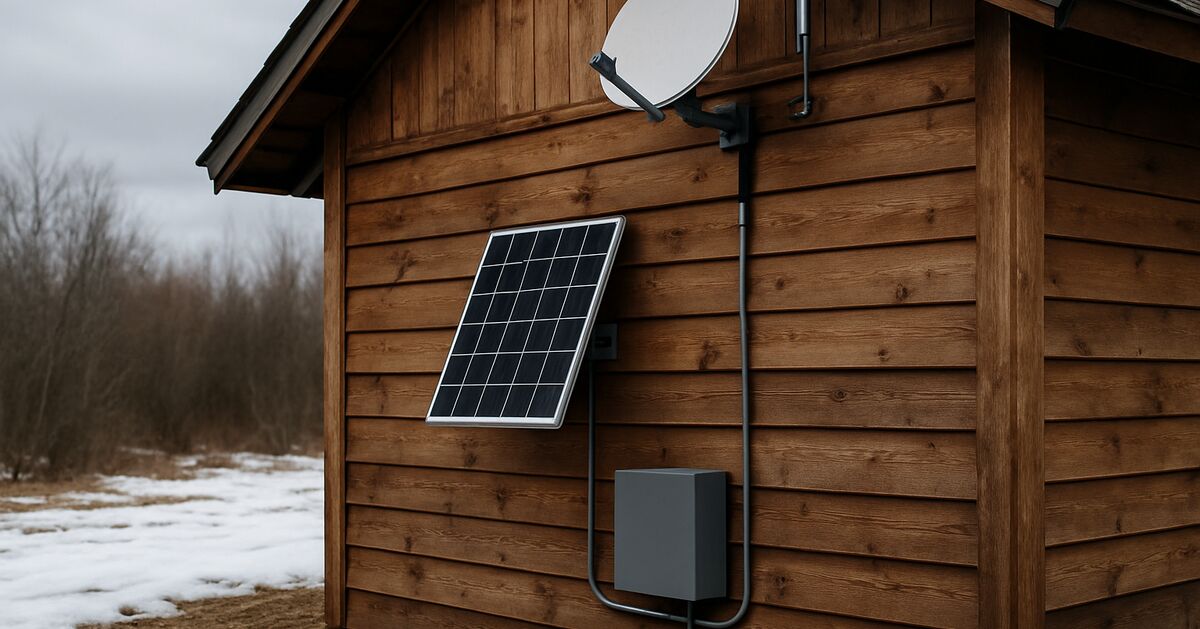
Once you know the draw, a strong upgrade for an off-grid comms setup isn't a bigger main battery bank, it's a small dedicated battery just for comms, sitting between your main system and your router, dish, or booster.
Here's the logic. Your main battery bank exists to serve the whole cabin: lights, pumps, maybe refrigeration, maybe tools. When that bank gets low, systems fitted with a low-voltage disconnect will cut the circuits they are configured to drop, which on many installs means the non-essential ones. If your comms gear is wired into that same bus without protection, it goes down at exactly the moment the rest of your system is stressed, which again tends to be storms, short winter days, or extended cloud cover.
A dedicated comms battery, even something modest like a 20 to 50 amp-hour lithium unit charged off a small dedicated panel or trickle-fed from the main system, buys you independence from that shedding behavior. It also means that if you take the whole house off solar overnight to conserve during a bad stretch, as covered in power outage triage: what to shut off first when your system is failing, your comms gear doesn't have to be part of that triage. It just keeps running on its own small reserve while you manage the rest of the property.
This is a similar philosophy to how people think about wiring an off-grid solar system safely: isolate critical circuits so a problem in one place doesn't cascade into a problem everywhere.
Sizing the backup: what "enough" actually looks like
A reasonable target for an off-grid comms setup is 24 to 48 hours of battery runtime without any solar input at all. That covers a genuinely bad stretch of weather, a breaker issue you don't notice until morning, or a period where you've deliberately powered down the main system.
To get there:
Calculate your daily watt-hour draw (from the measuring step above).
Multiply by the number of backup days you want (start with 2).
Divide by your battery's usable voltage to get amp-hours needed, remembering that lithium batteries can typically use 80 to 100 percent of their rated capacity, while lead-acid or AGM should be sized closer to 50 percent usable to protect battery life.
For a typical stack drawing around 60 watts continuously (satellite dish plus router), that's about 1.44 kWh per day. Two days of backup means roughly 2.9 kWh, which at 12 volts is around 240 amp-hours of usable capacity. That sounds like a lot, which is a good reason to trim the ambition to what you actually run continuously versus what could be put on a schedule instead (more on that below).
Charging the backup without complicating your life
The dedicated comms battery doesn't need its own elaborate charging system. Two approaches work well:
A small dedicated panel. A single small panel, ideally mounted separately from your main array so a shading or wiring fault on the main system doesn't take out comms power too, can help keep a modest battery topped off with a simple charge controller, depending on your site and season. This is the same logic covered in sun blocked by trees, hills, or clouds: solar workarounds that actually work: sometimes a small panel in a better spot beats a bigger one in a mediocre spot.
A trickle tap off the main bus, with a fuse and a diode or DC-DC converter. This keeps the comms battery charged from your main system during good conditions but doesn't let it discharge back into the main system if that battery ever runs low. It requires a bit more electrical care but avoids the cost and complexity of a second panel.
Either way, keep the wiring simple enough that you (or whoever is on the property) can trace it in the dark with a headlamp, because that is exactly when you'll need to.
Reduce demand before you throw more battery at it
The other lever, often ignored, is cutting draw rather than adding capacity. A few things that genuinely help:
Put non-critical gear on a schedule. If your mesh radio repeaters or a secondary router aren't needed overnight, a cheap timer or a smart switch can cut their draw during the hours you're least likely to need them, extending your battery runtime by simply asking less of it.
Choose lower-draw hardware where the choice exists. Not all satellite terminals or boosters draw the same amount, and when you're buying gear, especially buying used solar and comms gear off-grid without buying a backdoor, it's worth checking published draw figures rather than assuming newer means more efficient.
Separate "always on" from "on demand." A cell booster that keeps a phone line open for emergencies is a different priority than a streaming-capable satellite connection. Wire them differently, and let the always-on gear be the smallest, most efficient thing in your stack.
What this looks like in a real outage
Picture a five-day stretch of heavy cloud in January. Your main battery bank is dropping a little each day despite conservation, and by day three you've shut off the water heater and are running the fridge only a few hours a day, following the same instincts as any good outage triage. Because your comms gear is on its own small battery and small panel, it hasn't noticed any of this. The booster is still relaying a weak cell signal, the satellite dish is still reachable for a status check or an emergency message, and you haven't had to make a call about whether checking in with family is worth draining your last reserve of house power.
That peace of function, not having to choose between the fridge and the phone line, is the entire point of separating these systems.
Don't forget the physical side
Battery backup solves the electrical half of the problem, but a few physical habits matter just as much:
Label the breaker or switch for your comms circuit clearly, and make sure anyone staying on the property (a guest, a sitter, a family member) knows not to touch it.
Keep a spare fuse or two for the comms circuit in the same spot as your other electrical spares, echoing the logic in building a spare parts wall: the fasteners and fittings that save trips. A blown fuse at the wrong time is a solvable five-minute problem if you have the part, and a maddening one if you don't.
Check connections seasonally. Connections and battery terminals are worth rechecking before winter, and a loose connection under a dedicated comms battery is a sneakier failure than one on your main bank, because nothing else on the property will tip you off that something's wrong.
A short checklist to actually implement this
If you're setting this up for the first time, work through it in this order:
Measure the actual draw of everything in your comms stack for a full week.
Decide which pieces are "must stay on" versus "nice to have," and separate their wiring.
Size a small dedicated battery for 24 to 48 hours of runtime for the must-stay-on gear.
Add a small dedicated panel or a protected trickle charge from your main system.
Test it deliberately: shut off your main system for a day and watch what your comms gear does. Fix what breaks before winter does it for you.
None of this requires rebuilding your electrical system. It requires treating your connectivity gear as a small, separate, low-draw system with its own modest battery, rather than one more thing riding on the same bus as your water pump and your lights. Once that separation exists, a bad week of weather becomes an inconvenience rather than a communications blackout.
If you're still working out the rest of your power setup, the site's home page and FAQ cover a lot of the foundational sizing questions, and the blog index has deeper dives into batteries, charge controllers, and generator pairing that all feed into getting this right. If you want to talk through your specific setup, the contact page is the place to start, and a bit more on how this site approaches these topics is on the about page.
The rest of the shortlist
Recommended off-grid gear
Affiliate disclosure: Some links on this site are affiliate links, including Amazon links: as an Amazon Associate I earn from qualifying purchases. Buying through one costs you nothing extra, and it never changes what I recommend.
Products appear here only when they match this article's subject. Selection is based on documented specs and owner reports, never on compensation; pages with no relevant gear carry none.
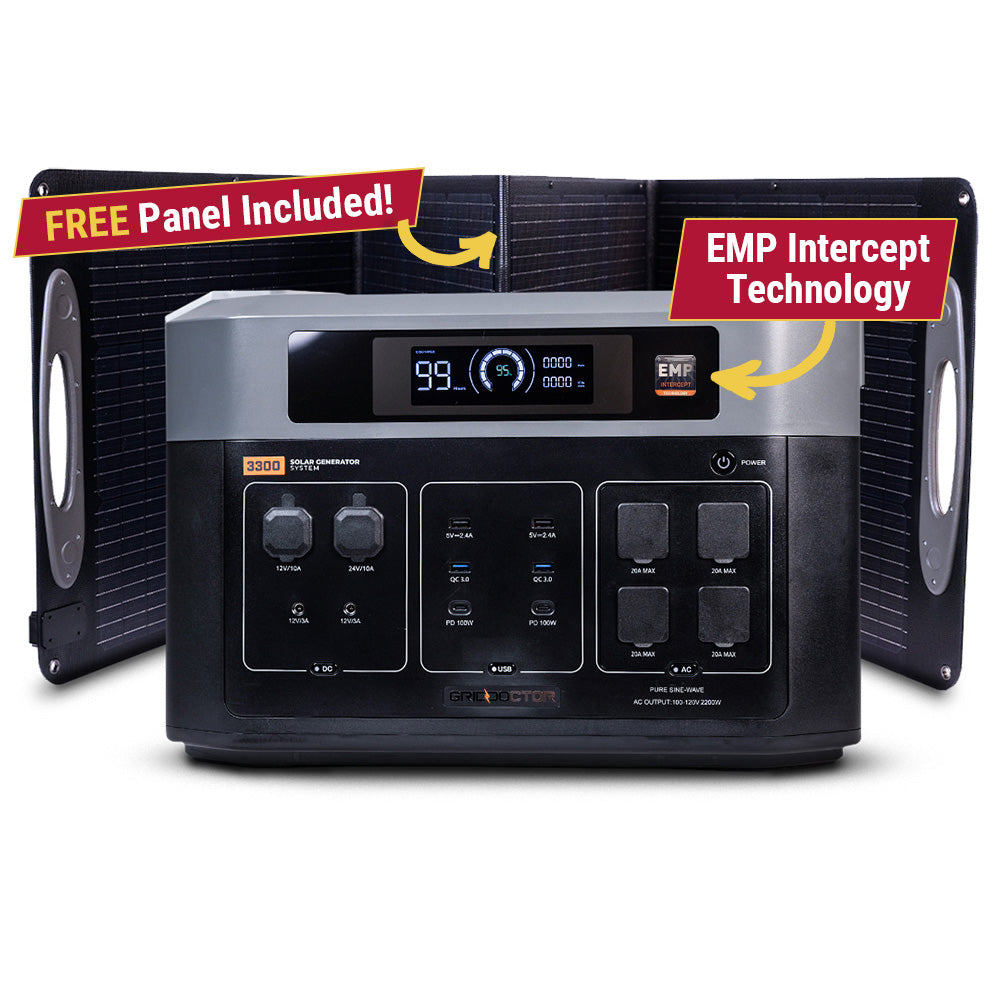
The Grid Doctor 3300 solar generator system sold with EMP shielding, a large portable power station for home backup and off-grid use; check the current spec sheet for details.
Why it's here: Listed with its EMP shielding as a stated feature, not a verified one. Judge it on the power specs first.
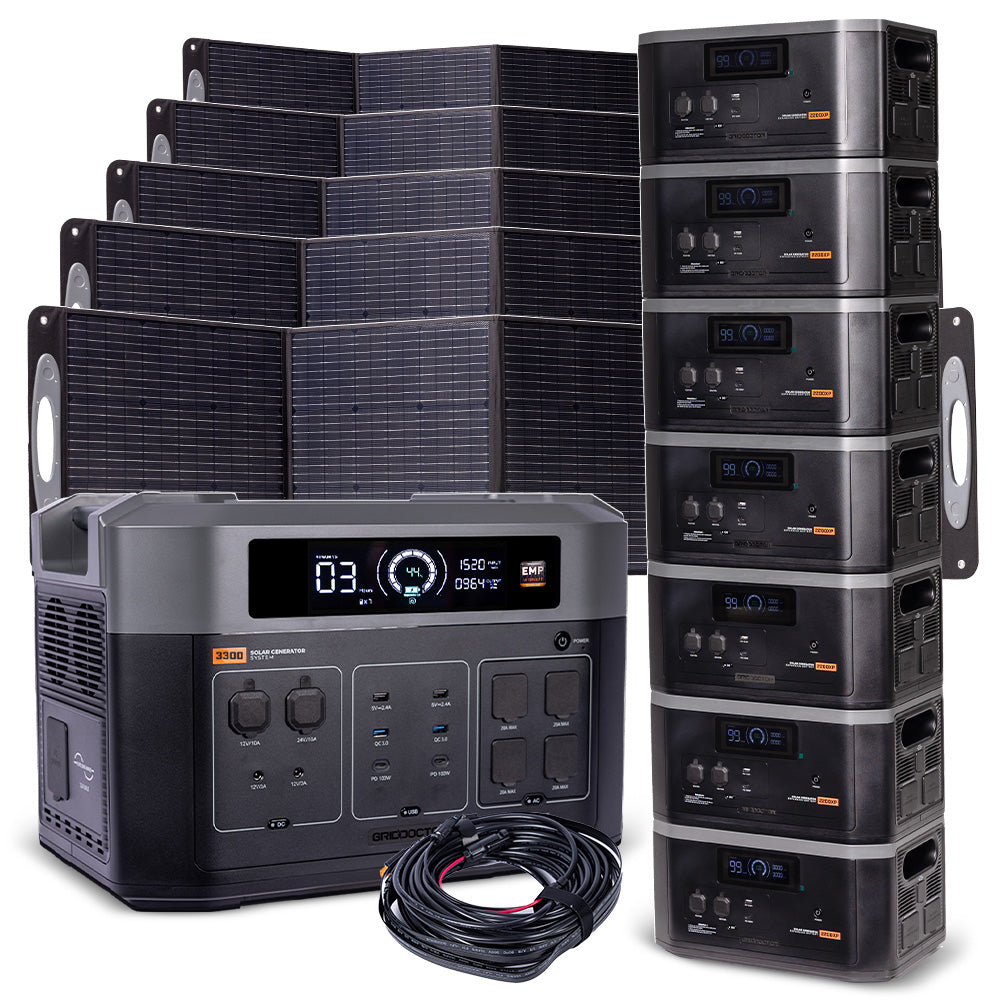
The Grid Doctor 3300 Power Tower, a large portable power station for home backup and off-grid systems; check the current spec sheet for capacity and output details.
Why it's here: Listed so form factor is part of the decision: this capacity class in a shape that stands rather than sits.
The Grid Doctor 3300-watt EMP-shielded solar generator sold through Emergency Essentials, a large power station for home backup and off-grid use; check the current spec sheet.
Why it's here: Listed through a second retailer so availability and pricing on this unit are not down to one storefront.
Claim audit: 12 consequential claims checked against the article's sources; unsupported wording revised where it could not be substantiated.
Claim-by-claim audit (12 checked)
“This is the quiet failure mode of off-grid connectivity that is easy to overlook: the comms stack is only as reliable as the power feeding it, and it is often wired as an afterthou…” (rewritten to what the article can stand behind)
“A satellite dish and router together draw continuously, with higher spikes during initial connection or when the dish heater runs, so check your own manufacturer figures and meter …” (rewritten to what the article can stand behind)
“A cellular booster with an outdoor antenna is typically lighter, but confirm the figure on its power supply label.” (rewritten to what the article can stand behind)
“A basic router and modem pair for a fixed wireless or DSL-style connection is usually a modest draw, again worth metering rather than assuming.” (rewritten to what the article can stand behind)
“Mesh radio base stations and repeaters vary widely, and many are marketed as low draw, so check each unit's rating.” (rewritten to what the article can stand behind)
“This number is often smaller than expected for a full stack, but it needs to be reliable, not just average.” (rewritten to what the article can stand behind)
“When that bank gets low, systems fitted with a low-voltage disconnect will cut the circuits they are configured to drop, which on many installs means the non-essential ones.” (rewritten to what the article can stand behind)
“Divide by your battery's usable voltage to get amp-hours needed, remembering that lithium batteries can typically use 80 to 100 percent of their rated capacity, while lead-acid or …” (cited → batteryuniversity.com)
“That sounds like a lot, which is a good reason to trim the ambition to what you actually run continuously versus what could be put on a schedule instead (more on that below).” (rewritten to what the article can stand behind)
“A single small panel, ideally mounted separately from your main array so a shading or wiring fault on the main system doesn't take out comms power too, can help keep a modest batte…” (rewritten to what the article can stand behind)
“This keeps the comms battery charged from your main system during good conditions but doesn't let it discharge back into the main system if that battery ever runs low.” (reasoning shown in the article)
“Connections and battery terminals are worth rechecking before winter, and a loose connection under a dedicated comms battery is a sneakier failure than one on your main bank, becau…” (rewritten to what the article can stand behind)
Before you go
One useful off-grid email a week.
Practical gear rundowns, honest how-tos, and plain-English guides from someone doing the homework in the open.
I am building a place for off-grid people to swap real answers: a forum by topic, classifieds for gear and services, and real estate for off-grid land and homes. It is new, so the early members shape what it becomes. A free account lets you post in all three.
No ER ten minutes away means you have to be your own triage nurse. Here's how to tell a bad bee sting from the real emergency, and what to actually stock.
In many off-grid disasters, the fire or flood itself isn't the decisive factor, it's the hour you waited too long to leave. Here's how to set real, numeric triggers before you need them.
Tax sale and sheriff's auction land looks like a bargain, but redemption periods, hidden liens, and unseen parcels turn a lot of cheap acreage into an expensive lesson. Here's how to vet a listing before you bid.