A lot of off-grid connectivity advice I come across stops at the front door. You get Starlink or a boosted cell signal working in the cabin, call it done, and then discover six months later that you can't pull up the well pump wiring diagram while standing at the well house, can't check a security camera from the driveway, and have to walk back inside every single time you want to look something up while working in the shop or garden.
This is a different problem than "do I have internet." It's "does my internet reach the places I actually work." On a typical suburban lot that's a non-issue. On five, twenty, or eighty acres with a cabin, a shop, a barn, and outbuildings scattered across uneven terrain, it's often the single most annoying gap in an otherwise solid off-grid setup. The good news is that it's also one of the cheaper problems to fix, once you understand what's actually limiting you.
Why cabin wifi doesn't travel
A standard home router, even a good one, is designed to cover a house. Interior walls, one story, maybe two. It was never built to punch a signal through 200 feet of open air, a stand of trees, and the metal roof of a pole barn. Wifi at the 2.4 and 5 GHz bands most routers use is fundamentally short range technology. Add in the fact that off-grid cabins are often built with metal roofing and sometimes metal siding (great for durability and fire resistance, terrible for radio transparency) and you've got a signal that dies at the porch steps even with a strong router inside.
The other piece people miss: your internet connection and your local network are two separate problems. If you've read about Starlink setup and real-world speeds or worked through boosting a weak cell signal with antennas and boosters, you've already solved the "getting a signal onto the property" half. This is the "spreading that signal around the property" half, and it needs its own gear and its own plan.
Mapping your property before buying anything
Before you spend a dollar on hardware, walk the property with your phone's wifi analyzer app (there are free ones for Android and iOS) or even just your phone's signal bars, and note:
Where you actually need usable internet: shop, barn, greenhouse, well house, garden shed, RV pad, guest cabin
What's physically between the router and those spots: trees, hills, other buildings, distance in feet
Whether you have line of sight between the cabin roofline and each target building
Where you could realistically run a cable, bury a conduit, or mount a pole
This last point matters more than people expect. A lot of off-grid connectivity headaches get solved not with fancier wireless gear but with a $40 spool of outdoor-rated Ethernet cable and an afternoon with a shovel. Wireless is convenient, but wired is faster, more reliable, and immune to weather, trees leafing out in summer, and every other variable that makes outdoor wifi flaky.
The three ways to extend coverage, ranked by reliability
Wired backhaul with access points. This is the most reliable option, and worth choosing whenever running a wire is remotely feasible. You run direct-burial rated Ethernet cable (or better, conduit with pull-string for future upgrades) from your main router out to a weatherproof access point mounted on the shop or barn wall. That access point broadcasts its own wifi bubble, wired straight back to your main connection, so speed and reliability match what you get in the cabin. Outdoor PoE (Power over Ethernet) access points are built for exactly this: one cable carries both data and power, so you're not running a separate electrical line to a shed just for wifi.
The catch is labor. Trenching or running cable overhead takes time, and if you're not already comfortable with basic wiring, it's worth pairing this project with whatever else you're doing when you wire your solar system's fuses, breakers, and cable runs, since you'll already have conduit and tools out.
Point-to-point wireless bridges. When trenching isn't practical (rock, distance, a road in between), a pair of outdoor wireless bridge units, sometimes called "wifi cannons" or CPE radios, can shoot a directional signal from the cabin roofline to a receiver on the barn, then hand off to a local access point from there. These need genuine line of sight, tree branches and buildings in the path will wreck the signal, and they need careful aiming, but where they work, they work well and often outperform mesh systems over distance. Ubiquiti's airMAX and similar gear are common choices, and matched pairs rated for a quarter mile or more are sold at consumer prices, so check current listings before budgeting.
Mesh wifi systems. Consumer mesh kits (the kind sold for suburban homes with dead zones) can work outdoors if you buy weatherproof outdoor nodes and keep hop distances short, ideally within the range the manufacturer states for outdoor line of sight. Mesh is the easiest to set up and needs no cable runs, but every hop you add cuts available bandwidth, and outdoor mesh nodes still need power somewhere nearby, which means either running electrical or relying on a battery and small solar panel per node. Mesh is a fine answer for "extend coverage from the cabin to the porch and the nearest shed" and a weak answer for "reach the barn 400 feet away through trees."
Power is the part everyone forgets
Every access point, bridge, or mesh node you put in an outbuilding needs power, and off-grid outbuildings often don't have any. This is where a lot of connectivity plans stall out. Before you commit to a layout, figure out the power story for each node:
Is there already a solar circuit or battery in that building?
Can you run low-voltage DC power alongside the data cable (PoE solves this cleanly for wired runs)?
Does a mesh node need its own small panel and battery, and can that battery survive winter?
If you're already thinking through how much solar you actually need for the property as a whole, it's worth adding network gear to that tally now rather than discovering later that your shop access point drains a battery bank you needed for tools. The draw per access point is small, but check the spec sheet for your unit, since small draws add up on a modest system and matter a great deal in winter when your battery bank is already working harder to survive short days.
Dealing with the buildings themselves
Metal roofs and metal siding are a major obstacle on off-grid properties, because wifi signals do not pass through metal cleanly. If your shop or barn has a metal shell, plan on getting an access point physically inside that building rather than trying to blast a signal through the wall from outside. This usually means running your cable or power line through a wall penetration (sealed properly against weather) rather than relying on line-of-sight tricks.
Trees are the second biggest killer, and they're seasonal. A path that has clean line of sight in March can be fully leafed out and useless by June. If your bridge or mesh plan depends on a sightline through or near trees, test it across a full season before you commit to permanent mounting, or plan on mounting high enough (rooflines, poles) to clear the canopy entirely.
Cameras, sensors, and why this matters beyond convenience
Extending network coverage isn't just about checking email from the garden. It's what makes remote monitoring possible at all. Security cameras at a gate or shop, soil moisture sensors in a greenhouse, a water level sensor on a cistern, a temperature alarm in a root cellar, none of it works without a network signal reaching that spot. If you're building out any kind of monitoring as part of securing a remote property with layered defense, the network backbone has to exist before the cameras do any good. A camera that can't phone home is just an expensive motion light.
The same logic applies to VoIP phones or intercoms between buildings, which get much more reliable once they're riding on a wired or bridged connection instead of a weak wifi signal fighting through a wall.
What to actually buy, in order
If you're starting from scratch, tackle it in this order rather than buying everything at once:
Confirm your main internet connection is solid and has enough headroom (Starlink or a boosted cellular connection, whichever you're running).
Identify the two or three buildings where you genuinely need connectivity, not every shed you own.
For the closest, easiest one, try a wired PoE access point first. It's the most reliable dollar for dollar.
For anything farther with clear line of sight, look at a point-to-point bridge pair before defaulting to mesh.
Only use mesh for short hops where running a cable truly isn't feasible.
Resist the urge to cover the entire property in signal from day one. Off-grid life has a way of showing you which buildings you actually use daily within the first season, as covered in the broader first 30 days on raw land planning. Extend coverage to those first, and add more only once you know it's worth the wire, the power draw, and the maintenance.
A note on expectations
None of this will give you suburban-grade wifi at the far corner of an eighty acre parcel, and that's fine. The goal isn't blanket coverage, it's reliable coverage in the two or three spots where you actually work: the shop bench, the well house, the garden shed. Get those solid, wired where you can, bridged where you can't, and you'll stop making the walk back to the cabin every time you need to look something up. If you're still working out the basics of what's possible with your setup, the FAQ page and the rest of the blog cover the connection side in more depth, and you're always welcome to send specific questions through the contact page.
The rest of the shortlist
Recommended off-grid gear
Affiliate disclosure: Some links on this site are affiliate links, including Amazon links: as an Amazon Associate I earn from qualifying purchases. Buying through one costs you nothing extra, and it never changes what I recommend.
Products appear here only when they match this article's subject. Selection is based on documented specs and owner reports, never on compensation; pages with no relevant gear carry none.
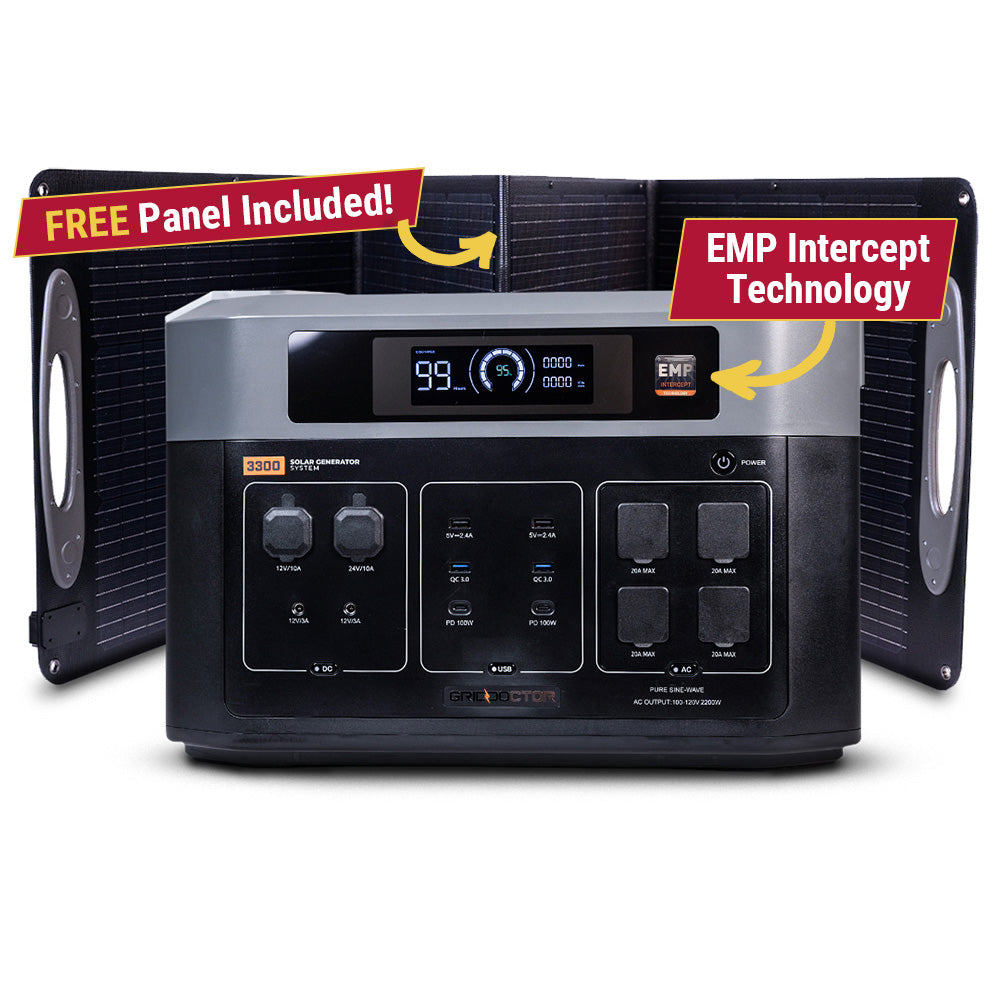
The Grid Doctor 3300 solar generator system sold with EMP shielding, a large portable power station for home backup and off-grid use; check the current spec sheet for details.
Why it's here: Listed with its EMP shielding as a stated feature, not a verified one. Judge it on the power specs first.
The Grid Doctor 3300-watt EMP-shielded solar generator sold through Emergency Essentials, a large power station for home backup and off-grid use; check the current spec sheet.
Why it's here: Listed through a second retailer so availability and pricing on this unit are not down to one storefront.
Claim audit: 13 consequential claims checked against the article's sources; unsupported wording revised where it could not be substantiated.
Claim-by-claim audit (13 checked)
“Wifi at the 2.4 and 5 GHz bands most routers use is fundamentally short range technology.” (reasoning shown in the article)
“Add in the fact that off-grid cabins are often built with metal roofing and sometimes metal siding (great for durability and fire resistance, terrible for radio transparency) and y…” (reasoning shown in the article)
“Wireless is convenient, but wired is faster, more reliable, and immune to weather, trees leafing out in summer, and every other variable that makes outdoor wifi flaky.” (reasoning shown in the article)
“This is the most reliable option, and worth choosing whenever running a wire is remotely feasible.” (rewritten to what the article can stand behind)
“Outdoor PoE (Power over Ethernet) access points are built for exactly this: one cable carries both data and power, so you're not running a separate electrical line to a shed just f…” (reasoning shown in the article)
“When trenching isn't practical (rock, distance, a road in between), a pair of outdoor wireless bridge units, sometimes called "wifi cannons" or CPE radios, can shoot a directional …” (cited → tp-link.com)
“These need genuine line of sight, tree branches and buildings in the path will wreck the signal, and they need careful aiming, but where they work, they work well and often outperf…” (cited → tp-link.com)
“Ubiquiti's airMAX and similar gear are common choices, and matched pairs rated for a quarter mile or more are sold at consumer prices, so check current listings before budgeting.” (rewritten to what the article can stand behind)
“Consumer mesh kits (the kind sold for suburban homes with dead zones) can work outdoors if you buy weatherproof outdoor nodes and keep hop distances short, ideally within the range…” (rewritten to what the article can stand behind)
“Mesh is the easiest to set up and needs no cable runs, but every hop you add cuts available bandwidth, and outdoor mesh nodes still need power somewhere nearby, which means either …” (reasoning shown in the article)
“The draw per access point is small, but check the spec sheet for your unit, since small draws add up on a modest system and matter a great deal in winter when your [battery bank is…” (rewritten to what the article can stand behind)
“Metal roofs and metal siding are a major obstacle on off-grid properties, because wifi signals do not pass through metal cleanly.” (rewritten to what the article can stand behind)
“A path that has clean line of sight in March can be fully leafed out and useless by June.” (reasoning shown in the article)
Before you go
One useful off-grid email a week.
Practical gear rundowns, honest how-tos, and plain-English guides from someone doing the homework in the open.
I am building a place for off-grid people to swap real answers: a forum by topic, classifieds for gear and services, and real estate for off-grid land and homes. It is new, so the early members shape what it becomes. A free account lets you post in all three.
No ER ten minutes away means you have to be your own triage nurse. Here's how to tell a bad bee sting from the real emergency, and what to actually stock.
In many off-grid disasters, the fire or flood itself isn't the decisive factor, it's the hour you waited too long to leave. Here's how to set real, numeric triggers before you need them.
Tax sale and sheriff's auction land looks like a bargain, but redemption periods, hidden liens, and unseen parcels turn a lot of cheap acreage into an expensive lesson. Here's how to vet a listing before you bid.