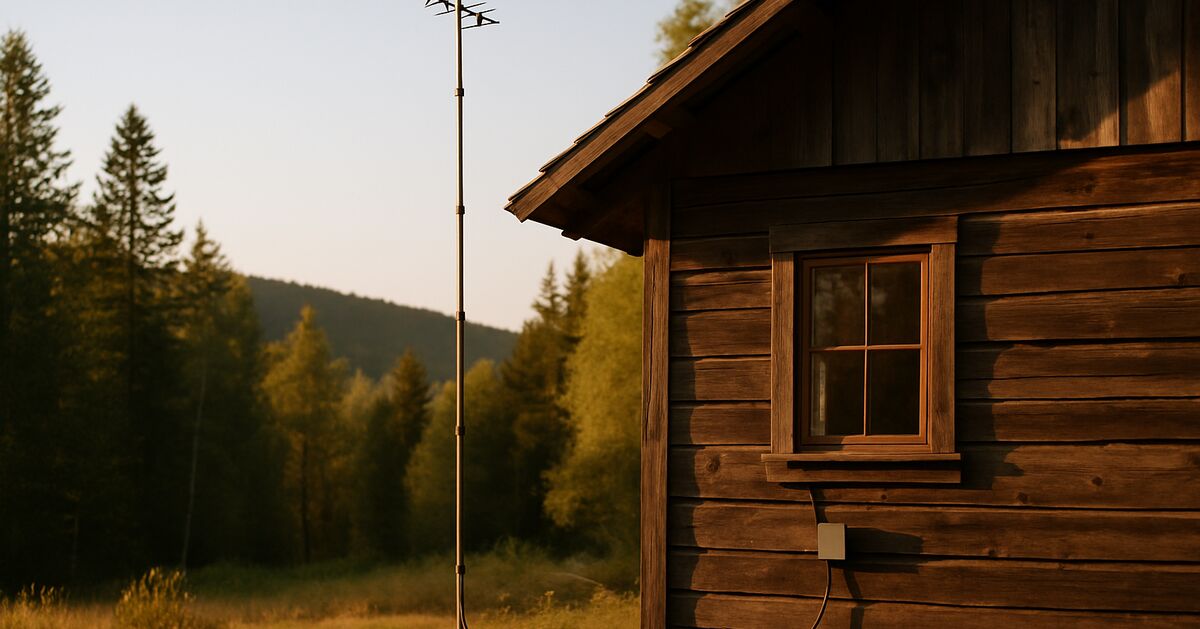
If you've ever stood in one specific corner of your yard holding your phone over your head trying to get a text to send, you already know the problem this article is about. Off-grid land is often off-grid precisely because it's far from towers, tucked behind a ridge, or down in a valley that blocks signal in every direction. A lot of people assume that means no cell service, full stop, and they either give up on calls entirely or spend money on satellite gear they didn't actually need. Before you go that route, it's worth understanding what a cell signal booster can and can't do, because on some off-grid properties the fix is a consumer antenna kit rather than a full satellite internet plan.
This is a different problem than having zero signal anywhere nearby. If you've already confirmed there's no usable signal within miles, no amount of antenna gear will summon a tower that doesn't exist within range, and you should be looking at the satellite messenger and radio options for staying reachable with no cell signal at all instead. What follows is for the much more common in-between case: there's a weak, unreliable signal somewhere on or near your property, and you want to turn that into something you can actually use for calls, texts, and basic data.
How a cell signal booster actually works
A cellular booster is not magic and it doesn't create signal out of nothing. It's a three-part system: an outside antenna that captures whatever weak signal is reaching your property, an amplifier that boosts that signal, and an inside antenna that rebroadcasts the boosted signal into your cabin or house. Your phone talks to the inside antenna instead of trying to reach the distant tower directly.
That means the whole system lives or dies on the outside antenna's ability to find signal in the first place. If there's truly nothing out there, an amplifier has nothing to amplify. Boosters work by taking a weak-but-present signal and making it strong enough for reliable calls and reasonable data speeds. Think of it less like a signal generator and more like a hearing aid: it makes a faint sound loud enough to understand, but it can't help if there's no sound at all.
Two outside antenna styles matter here:
Omnidirectional antennas pull in signal from all directions at once. They're easier to install and are the right call if you get usable signal from more than one direction, or if you're not sure exactly where the nearest tower is.
Directional (yagi or panel) antennas are aimed at a single tower and can pull in a much weaker, more distant signal than an omni antenna can, sometimes the difference between a barely-there signal and a solid connection. The tradeoff is you have to actually find the tower direction and aim carefully, and if you ever want signal from a second carrier's tower in a different direction, one directional antenna won't cover both.
Finding out if you even have signal to work with
Before spending money on any of this, walk your property with your phone and check signal in the field test / signal info screen (on most phones you can find this by dialing a code specific to your carrier, or checking a cell signal app that shows dBm numbers rather than just bars). You're looking for two things: is there any signal at all anywhere on the property, even faint, and does walking toward a specific direction or high point make it noticeably better.
Signal strength is measured in dBm, and it's a negative number where less negative is better. Roughly:
-50 to -80 dBm: strong to good signal, boosting is probably unnecessary
-80 to -100 dBm: weak but workable, a good candidate for a booster
-100 to -110 dBm: very weak, and a carefully aimed directional antenna is your best chance of making it usable, though results vary
Below -110 dBm or no reading at all: there may be no usable tower in range, and since a booster only amplifies existing signal, it likely won't help
Also check multiple carriers if you have access to more than one SIM or a friend's phone. Carriers often differ a lot at the same location, with one usable and another unusable. If you're still choosing land, this is worth checking before you buy, the same way you'd check well depth or road access. Carrier coverage maps are a starting point, but they are modeled estimates rather than measurements, so a physical walk-the-property test with an actual phone is more reliable.
Elevation matters enormously. Even ten or fifteen feet of extra antenna height, mounted on a pole against a tree or the cabin wall, can be the difference between no signal and a workable one, because it gets the antenna above ground clutter, trees, and small terrain features that block the direct path to a distant tower. If you have a hillside or a taller outbuilding, that's often a better antenna location than the roof of the main cabin, even if it means running more cable.
What a booster setup actually costs
Consumer cellular boosters for a home or cabin span a wide price range, with basic single-antenna kits costing well under what larger directional systems with more powerful amplifiers run, so check current retail prices. A few things push the price up:
Coverage area. A unit meant to cover one room costs less than one rated for a whole cabin or a cabin plus a workshop.
Amplifier gain. Higher-gain amplifiers cost more and can pull in weaker starting signals, but they also have legal power limits (in the US, consumer boosters are FCC-regulated and carrier-registered, which caps how much gain you can legally use).
Cable length and quality. Low-loss coax between the outside antenna and the amplifier isn't optional if you're running 50 or 75 feet up a pole. Cheap cable can waste a meaningful chunk of the signal you worked hard to capture. Budget for the good stuff.
Mounting hardware. A proper mast, guy wires or brackets, and weatherproofing add real cost but they're not the place to cut corners, since a booster that falls over in a windstorm does nobody any good.
Professional installation isn't typical for this kind of setup, and it's commonly mounted with basic tools, but if your situation involves a very tall mast or you're not comfortable working at height, it's reasonable to hire a local antenna installer for a few hours of labor.
Placement mistakes that quietly ruin performance
The single most common mistake is putting the inside antenna too close to the outside antenna. If the boosted inside signal leaks back out and gets picked up by the outside antenna again, the system detects this feedback and automatically reduces its own gain to avoid interference, which means you paid for a strong booster and it's throttling itself. Manufacturers specify a minimum vertical separation (often 20 feet or more) between the two antennas for exactly this reason. Running the outside antenna up a pole well above the roofline while keeping the inside antenna low and separated by a floor or two solves most of this.
Second mistake: mounting the outside antenna where it's shadowed by the cabin itself, a hill, or dense trees in the exact direction of the tower. It doesn't matter if a spot is convenient to run cable to if it's blocked in the one direction that matters. Do the walk-around signal test at the proposed antenna location specifically, not just somewhere in the general yard.
Third: undersized or overly long cable runs without accounting for signal loss. Every connector and every foot of cable loses a little signal, and cheap cable loses more per foot than quality low-loss coax. If your run is long, oversized cable and fewer connections in the middle both help.
Power draw and where this fits with your solar setup
A cellular booster's amplifier is a low-draw device compared to a refrigerator or power tools, but check the rated draw on your specific model and wire it in properly rather than running it off a random extension cord. If your setup is already on solar, this is a good candidate for a dedicated small circuit, and if you're planning your electrical layout from scratch it's worth reading through the guide on wiring an off-grid solar system safely so the booster, and anything else small and always-on, gets proper fusing and the right wire gauge rather than being an afterthought tapped into an existing circuit. Because it runs continuously (it's often left on 24/7 rather than switched on and off), it's worth factoring into your daily watt-hour budget the same way you would a router or a security light, small individually, but it adds up with everything else running around the clock.
If you're still deciding between a lean portable power setup and a full fixed solar system, the comparison of portable power stations versus a full solar system is worth reading before you commit, since a booster running continuously off a small power station will draw it down faster than you might expect over a multi-day stretch without sun.
When a booster isn't the right tool
Boosters help with calls, texts, and modest data like maps or checking email. They will not turn a weak, distant signal into a connection that reliably streams video or handles video calls, because the fundamental bandwidth available from a marginal tower connection is still limited even after boosting. If your household needs are more about steady internet for work, schooling, or entertainment, a booster is the wrong primary tool, and you're better served by satellite internet, with the tradeoffs covered in the Starlink setup and real-world speeds guide.
It's also worth being honest that some properties simply have no tower in range at any elevation, and no antenna gear fixes that. If your signal test comes back with nothing detectable anywhere on the land, even at height, save the money on a booster and put it toward a satellite messenger or radio setup instead, since those don't depend on cell towers at all.
A realistic way to plan this out
Before buying anything, spend a weekend actually testing the land: walk it with a phone that shows dBm readings, note where signal appears and from what apparent direction, and try a high point if one exists. If you get consistent readings in the -80 to -105 dBm range anywhere on the property, a booster is a reasonable investment. If a directional antenna is called for, take the time to identify the actual tower direction using a carrier's coverage tool or a signal-finder app rather than guessing, since a directional antenna only delivers its rated gain when it is aimed accurately.
Connectivity on off-grid land is rarely all-or-nothing. Many properties land somewhere in the middle: no bars in the cabin but a faint signal at the treeline, or one bar that drops calls. A properly chosen and placed booster turns that marginal signal into something dependable for the basics, and it's a lot cheaper and simpler than it may appear once you know what to test for first. For more on building out the rest of a connectivity and power plan, the full library of guides is a good place to start, and if you've got a specific setup question, feel free to get in touch or browse the rest of the blog for related topics. You can also read more about how this site approaches these questions on the about page.
Claim audit: 16 consequential claims checked against the article's sources; unsupported wording revised where it could not be substantiated.
Claim-by-claim audit (16 checked)
“Before you go that route, it's worth understanding what a cell signal booster can and can't do, because on some off-grid properties the fix is a consumer antenna kit rather than a …” (rewritten to what the article can stand behind)
“Boosters work by taking a weak-but-present signal and making it strong enough for reliable calls and reasonable data speeds.” (reasoning shown in the article)
“**Directional (yagi or panel) antennas** are aimed at a single tower and can pull in a much weaker, more distant signal than an omni antenna can, sometimes the difference between a…” (cited → wilsonamplifiers.com)
“- -100 to -110 dBm: very weak, and a carefully aimed directional antenna is your best chance of making it usable, though results vary” (rewritten to what the article can stand behind)
“- Below -110 dBm or no reading at all: there may be no usable tower in range, and since a booster only amplifies existing signal, it likely won't help” (rewritten to what the article can stand behind)
“Carriers often differ a lot at the same location, with one usable and another unusable.” (rewritten to what the article can stand behind)
“Carrier coverage maps are a starting point, but they are modeled estimates rather than measurements, so a physical walk-the-property test with an actual phone is more reliable.” (rewritten to what the article can stand behind)
“Even ten or fifteen feet of extra antenna height, mounted on a pole against a tree or the cabin wall, can be the difference between no signal and a workable one, because it gets th…” (reasoning shown in the article)
“Consumer cellular boosters for a home or cabin span a wide price range, with basic single-antenna kits costing well under what larger directional systems with more powerful amplifi…” (rewritten to what the article can stand behind)
“Higher-gain amplifiers cost more and can pull in weaker starting signals, but they also have legal power limits (in the US, consumer boosters are FCC-regulated and carrier-register…” (cited → fcc.gov)
“Professional installation isn't typical for this kind of setup, and it's commonly mounted with basic tools, but if your situation involves a very tall mast or you're not comfortabl…” (cited → weboost.com)
“If the boosted inside signal leaks back out and gets picked up by the outside antenna again, the system detects this feedback and automatically reduces its own gain to avoid interf…” (cited → weboost.com)
“Manufacturers specify a minimum vertical separation (often 20 feet or more) between the two antennas for exactly this reason.” (cited → wilsonamplifiers.com)
“A cellular booster's amplifier is a low-draw device compared to a refrigerator or power tools, but check the rated draw on your specific model and wire it in properly rather than r…” (rewritten to what the article can stand behind)
“They will not turn a weak, distant signal into a connection that reliably streams video or handles video calls, because the fundamental bandwidth available from a marginal tower co…” (reasoning shown in the article)
“If a directional antenna is called for, take the time to identify the actual tower direction using a carrier's coverage tool or a signal-finder app rather than guessing, since a di…” (rewritten to what the article can stand behind)
Before you go
One useful off-grid email a week.
Practical gear rundowns, honest how-tos, and plain-English guides from someone doing the homework in the open.
I am building a place for off-grid people to swap real answers: a forum by topic, classifieds for gear and services, and real estate for off-grid land and homes. It is new, so the early members shape what it becomes. A free account lets you post in all three.
No ER ten minutes away means you have to be your own triage nurse. Here's how to tell a bad bee sting from the real emergency, and what to actually stock.
In many off-grid disasters, the fire or flood itself isn't the decisive factor, it's the hour you waited too long to leave. Here's how to set real, numeric triggers before you need them.
Tax sale and sheriff's auction land looks like a bargain, but redemption periods, hidden liens, and unseen parcels turn a lot of cheap acreage into an expensive lesson. Here's how to vet a listing before you bid.