Some people planning an off-grid move spend weeks agonizing over which satellite dish or cell booster to buy, and comparatively little time on a piece of digital infrastructure that can cause grief for years: their email address and online identity.
Here's the problem nobody warns you about. You move off-grid. Your local cable or DSL provider goes away, so you lose the @comcast.net or @earthlink.net address you've had for fifteen years. Your cell carrier changes because the old one has no tower within thirty miles of your new place, so you lose the carrier-branded email too. Your P.O. box changes. Your phone number might change if you switch to a VoIP or satellite-based plan. One by one, every account tied to your old identity, your bank, your insurance, your doctor, your kids' school, starts bouncing password reset emails into a void.
This is not a hypothetical. This is a common headache after a rural move, and a bit of setup before you leave town can help you avoid it.
Why your email address is more fragile than you think
Free email addresses that come bundled with an internet or cell plan are not actually free. You're renting an identity from a company, and the rent is your continued subscription. The moment you cancel that DSL line or switch carriers, the provider is under no obligation to keep forwarding your mail or even to let you log in. Grace periods vary by provider, and some may give you none at all, so check your provider's terms.
If you've been using that address for your bank, your mortgage, your utility accounts (yes, even off-grid you'll have a few), your kids' school portal, and every online retailer you've ever ordered from, losing it means a cascade of locked accounts. Password reset links go to a dead inbox. Two-factor authentication codes go nowhere. You end up on hold with a bank's fraud department trying to prove you're you, from a spot where the cell signal is already thin.
The fix is to decouple your identity from any single provider before you need to.
Get a provider-independent email address
The single best move is to set up an email address through a service that has nothing to do with your internet connection, your cell carrier, or your physical location. Gmail, Proton Mail, Fastmail, and similar independent providers all work fine for this because you access them over any internet connection: Starlink, a cell booster, a coffee shop hotspot, whatever you've got that day. The account isn't tied to a phone line or a cable modem, so it survives every provider switch you'll make in the transition to off-grid life and every switch after that.
If privacy matters to you (and for a lot of off-grid folks it does), Proton Mail and similar services market themselves on minimal data retention and encryption, so review their published policies to see if they fit your needs. That said, don't let the search for the perfect privacy setup delay you. Any provider-independent address is better than none, and you can always migrate later.
Once you have the new address, do the boring but essential work:
Update it as the primary contact on your bank, credit union, and credit card accounts
Update it with your insurance carriers (home, auto, health)
Update it with the DMV, voter registration, and any state licensing boards
Update it on your kids' school portal and pediatrician's patient system
Update it on every shopping account you actually still use (and delete the ones you don't)
Do this systematically, maybe ten accounts a day for a week, rather than trying to remember everything at once. Keep a simple checklist (paper or digital) of which accounts you've updated so you don't lose track halfway through.
A phone number that survives a carrier change
The same fragility applies to phone numbers. If you're moving somewhere with weak coverage, there's a real chance you'll end up switching carriers once, twice, maybe more, chasing whichever one actually reaches your property. Every time you switch, if you're not careful, you risk losing your number.
Number porting between US carriers is generally straightforward these days, but it works best when you initiate it correctly (activate the new SIM before canceling the old service, request your port-out PIN in advance, and never let an account lapse before the port completes). NIST-style guidance for consumers isn't really the domain of a federal safety agency, but the FCC does maintain consumer rules around wireless number portability, and it's worth reading before your first carrier switch so you know your rights if a carrier drags its feet.
If you're moving to a VoIP-based setup as part of a layered mesh radio, VoIP, and satellite comms stack, the same principle applies: pick a VoIP provider that lets you own and export your number, and keep a record of your account credentials somewhere other than an email address tied to a service you might lose.
Should you register your own domain?
For some off-grid households, especially anyone running a small business, a homestead blog, or a family that wants total independence from any single email provider, registering a personal domain is worth the modest annual cost. A domain like yourlastname.com is typically a modest annual cost, and you can point email at it through any provider you like; check current registrar pricing. If that provider ever shuts down, changes its pricing, or gets acquired and goes downhill, you move your domain's email hosting to a new provider and keep the exact same address. Nobody you've ever given your email to needs to be told anything changed.
This is overkill for a lot of people, and there's no shame in skipping it. But if you've ever had to notify forty different companies that your email changed, you understand the appeal of never having to do that again.
A few practical notes if you go this route:
Buy the domain from a registrar separate from your email host, so a billing dispute with one doesn't take down the other
Turn on domain auto-renew and use a credit card you check regularly, since a lapsed domain can eventually become available to someone else; check your registrar's expiration and redemption policy
Keep your registrar login saved somewhere durable, not just in the browser on a laptop that might die
Building a paper backup of your digital identity
None of this software-side planning matters if you can't get online at all during a critical stretch, whether that's a multi-week snow-in or a stretch where your satellite internet dish is iced over or your battery bank is too depleted to run the router. This is why a physical, paper backup of your critical account information matters as much as the digital setup.
Keep a written record, stored somewhere secure and dry, of:
Your email provider, the address itself, and the account recovery phone number or backup email
Your phone carrier and account PIN
Your bank and credit union names and the phone numbers for their fraud and account lines (not the number on a card, which won't work if the card is compromised, but the general customer service line)
A list of which accounts use which email address, especially if you're mid-transition and juggling an old and new address at once
This overlaps with the broader idea of a real document and cash cache, and it's worth building both at the same time. An identity emergency and a documents emergency tend to hit during the same kind of crisis: a fire, a flood, a sudden move, or a long outage.
Two-factor authentication without a reliable phone signal
Most banks and a growing number of other services now push you toward two-factor authentication, usually a text message code or a push notification to an app. This works fine when you have a phone signal. It works terribly when your property sits in a dead zone and you're relying on a weak cell signal booster that only occasionally punches through.
Where possible, switch two-factor authentication from SMS to an authenticator app (Google Authenticator, Authy, or similar) that generates codes locally on your phone without needing any signal at all. This is both more secure than SMS and far more reliable when you're truly off-grid, since the app doesn't care whether you have bars.
For accounts that only offer SMS-based two-factor and won't budge, keep at least one line of communication that reliably gets a text through, even if that means occasionally driving to the spot on your property (or the top of the ridge, or the end of the driveway) where you know a signal actually lands. Map that spot out. It's worth knowing before an emergency forces you to find it under pressure.
What this looks like in practice
A household that's done this well typically has: one email address that has outlived at least one, often several, changes of internet and cell provider; a phone number that's been ported cleanly across two or three carrier switches; two-factor authentication running through an app rather than SMS wherever the option exists; and a paper folder, kept dry and out of the way, with the passwords and recovery info for the handful of accounts that actually matter (bank, insurance, email, and phone).
None of this requires new hardware or a bigger solar array. It's an afternoon of unglamorous account cleanup, done before the move rather than during the scramble after. If you're still in the planning stages, it pairs well with the broader work of laying out your comms stack and figuring out how you'll stay reachable when there's no cell signal at all. Check the site's FAQ for more on how these pieces fit together, or browse the rest of the blog for the hardware side of the equation once your identity side is squared away.
The tools that get you online, whether that's a satellite dish, a cell booster, or a mesh radio network, will keep changing over the years you live out here. Your email address and phone number don't have to change with them. Decouple your identity from any single provider now, while you have a stable connection and the patience to do it methodically, and you'll never have to explain to a confused bank teller why your email address bounced for the third time this year.
The rest of the shortlist
Recommended off-grid gear
Affiliate disclosure: Some links on this site are affiliate links, including Amazon links: as an Amazon Associate I earn from qualifying purchases. Buying through one costs you nothing extra, and it never changes what I recommend.
Products appear here only when they match this article's subject. Selection is based on documented specs and owner reports, never on compensation; pages with no relevant gear carry none.
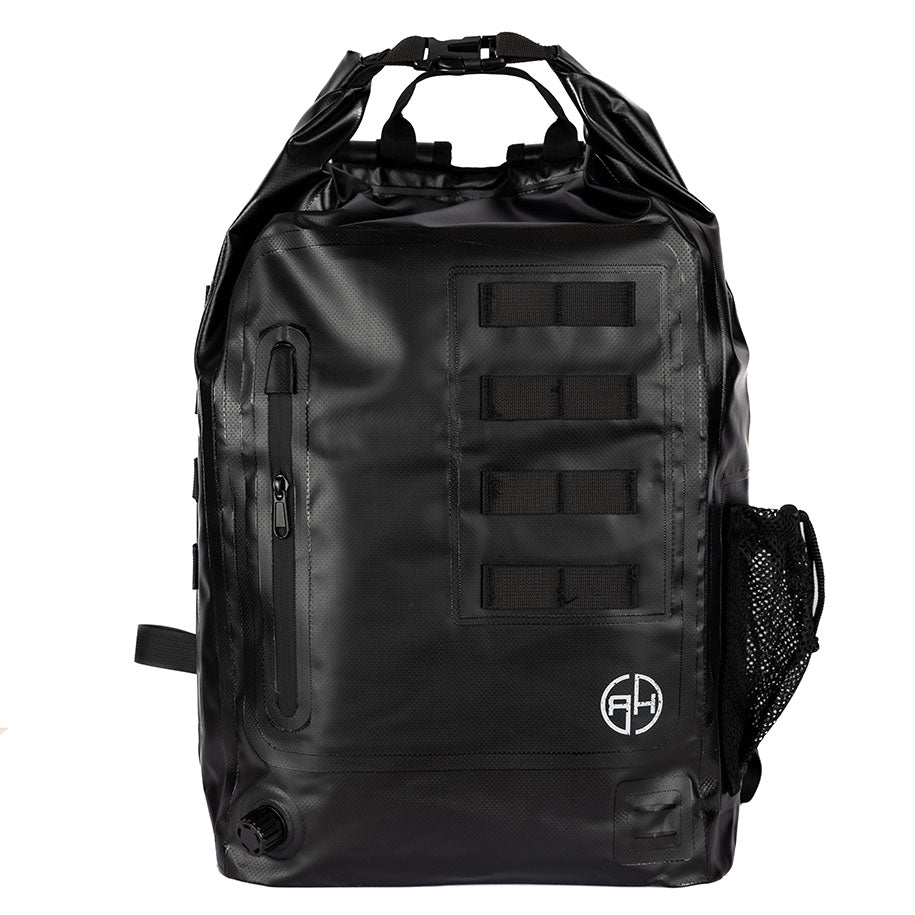
A backpack built as a faraday bag to shield phones, laptops and radios from EMP and signals, for preppers protecting electronics; check the current spec sheet.
Why it's here: Listed for the narrow case it actually addresses. Any faraday claim is worth testing yourself before you rely on it.
“This is a common headache after a rural move, and a bit of setup before you leave town can help you avoid it.” (rewritten to what the article can stand behind)
“Grace periods vary by provider, and some may give you none at all, so check your provider's terms.” (rewritten to what the article can stand behind)
“Number porting between US carriers is generally straightforward these days, but it works best when you initiate it correctly (activate the new SIM before canceling the old service,…” (reasoning shown in the article)
“NIST-style guidance for consumers isn't really the domain of a federal safety agency, but the FCC does maintain consumer rules around wireless number portability, and it's worth re…” (cited → fcc.gov)
“A domain like yourlastname.com is typically a modest annual cost, and you can point email at it through any provider you like; check current registrar pricing.” (rewritten to what the article can stand behind)
“Turn on domain auto-renew and use a credit card you check regularly, since a lapsed domain can eventually become available to someone else; check your registrar's expiration and re…” (rewritten to what the article can stand behind)
“Proton Mail and similar services market themselves on minimal data retention and encryption, so review their published policies to see if they fit your needs.” (rewritten to what the article can stand behind)
“This is both more secure than SMS and far more reliable when you're truly off-grid, since the app doesn't care whether you have bars.” (reasoning shown in the article)
Before you go
One useful off-grid email a week.
Practical gear rundowns, honest how-tos, and plain-English guides from someone doing the homework in the open.
I am building a place for off-grid people to swap real answers: a forum by topic, classifieds for gear and services, and real estate for off-grid land and homes. It is new, so the early members shape what it becomes. A free account lets you post in all three.
Grounding gets skipped on more DIY solar builds than anyone admits. Here's what actually needs a ground rod, why, and how to tell if your system is wired safely.
Signing up with the local volunteer fire department is one of the fastest, most honest ways to become a real neighbor in a rural area. Here's what it actually involves.
A practical, no-nonsense look at what it actually takes to live off the grid, from power and water to food storage, mistakes to avoid, and honest trade-offs.